


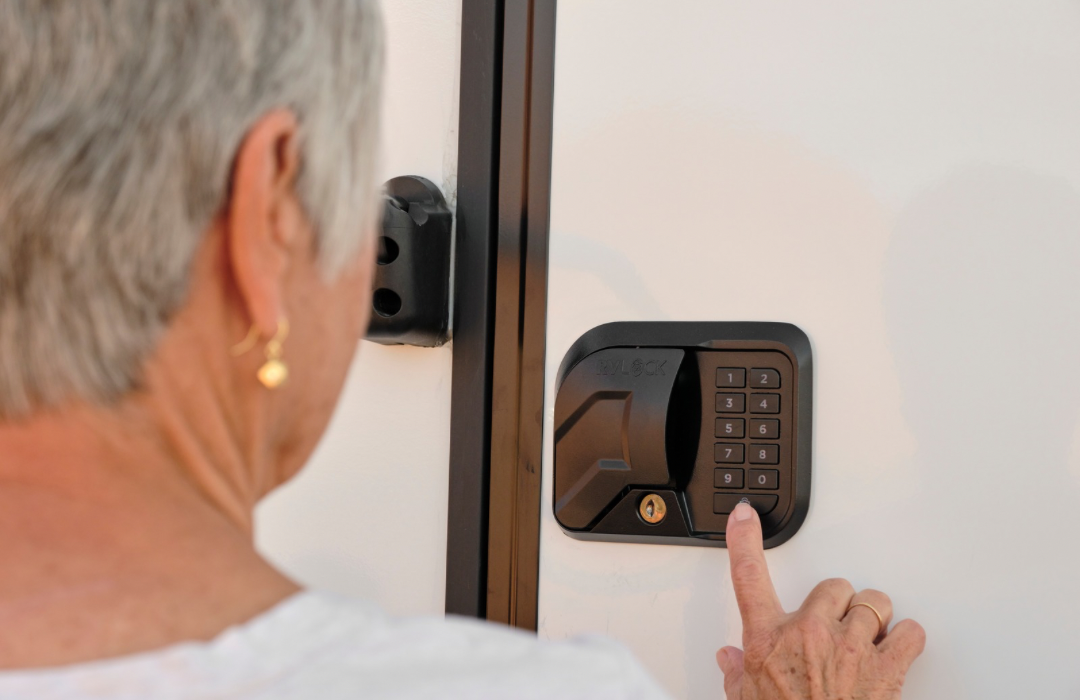
One of the most common questions RVers ask about keyless RV entry is:
“What happens if my RVLock batteries die?”
The short answer? You’re not locked out.
RVLock is designed with multiple backup options so you can still access your RV and get back up and running quickly.
Below is a simple breakdown of what to do if your RVLock loses power, based on your specific model.
First Things First: Don’t Panic
If your RVLock keypad stops responding or won’t unlock, it usually means the power source needs attention, not that the lock has failed.
Every RVLock model includes a physical key override, which is your primary backup in the event of dead batteries or a drained charge.
Best practice: Always keep at least one physical key stored somewhere accessible outside your RV.
If You Have a Charter, V4, Compact, or Baggage Lock
If the batteries in these models die:
- The keypad will stop responding
- The fob remote will not activate handle
- Keyless entry will not function until batteries are replaced
- Your RVLock now functions just like a standard mechanical handle
How to Get Back In
- Use your physical key to unlock the door
- Replace the batteries
- Test the keypad to confirm normal operation (your same key code should still be programmed in)
(If you don’t have your physical key you will need to go through a window or call a locksmith to get inside).
Battery Replacement Info
Battery type:
⟶ Four AA Batteries
How often to replace:
⟶ About every 6-8 months but varies depending on usage.
Low battery warning signs:
⟶ Speaker will say “low battery” (or it will give a series of beeps if it’s an older RVLock model) every time you use it when the battery is getting low
If You Have a Trek or Atlas Lock
Important Difference
Unlike other models, Trek and Atlas locks do not use replaceable batteries.
Instead, they are rechargeable.
If the Lock Loses Power
You have two options depending on how your RV is set up:
Option 1: External Charging Access
If your charging cord is stored outside the rig:
- Plug the lock in
- Allow it to charge
- Unlock once power is restored
- (Ensure it is the power cord that came with your RVLock Atlas/Trek)
Option 2: Use the Physical Key
If the charging cord is stored inside the RV:
- Use your physical key to unlock the door
- Access the charging cord
- Charge the lock
- Resume normal use
(If you don’t have your physical key you will need to go through a window or call a locksmith to get inside).
Charging Info
Charging method:
⟶ Rechargeable battery using the USB-C cord that came with your RVLock handle.
Charge time:
⟶ Leave on charger for a few hours or overnight.
How long a full charge lasts:
⟶ About every 6-8 months but varies depending on usage.
How to Avoid Getting Locked Out in the First Place
A few simple habits can prevent this situation entirely:
- 🔑 Keep a physical key outside your RV (lockbox, tow vehicle, trusted friend)
- 🔋 Replace batteries proactively for battery-powered models
- ⚡ Charge Trek or Atlas locks regularly
-
🧾 Add lock maintenance to your RV checklist
Keyless entry is meant to simplify RV life, not complicate it. These small steps ensure it stays that way.
Frequently Asked Follow-Up Questions
Will My RVLock Warn Me Before Power Runs Out?
⟶ Yes, Speaker will say “low battery” (or it will give a series of beeps if it’s an older RVLock model) every time you use it when the battery is getting low.
Can I Damage the Lock by Letting Batteries Die?
⟶ No, when the batteries die your RVLock functions just like a standard mechanical handle. The only “damage” is that you don’t have keyless convenience!
What If I Lose My Physical Key?
⟶ If you know your specific key number you can purchase a replacement set on our website, if you need help finding your key number contact RVLock customer support.
What If My RVLock is Still Not Working?
⟶ If you replaced the batteries and still are having trouble please contact RVLock customer support.
RVLock designs their locks with real RV life in mind, including backups for situations like dead batteries or drained charges. As long as you keep your physical key accessible and stay on top of basic maintenance, you’ll never be stuck outside your rig.
If you’re unsure which RVLock model you have or need help with maintenance, RVLock’s customer support team is always there to help.
See you on the road!

Share:
New RV Habits to Start in 2026
Top Places to Get Fish Tacos on Your RV Road Trip